
The gap between free and paid AI image generators has narrowed significantly in 2026. Models like FLUX Dev, DALL-E 3, and Ideogram 3.0 now produce results that rival paid-only services from just a year ago. Whether you need product mockups, social media visuals, or concept art, there is a free tool that handles it well. This guide tests six of the strongest free AI image generators available right now and breaks down where each one excels.
What Sets the Best Free AI Image Generators Apart
Three factors separate genuinely useful free tools from the rest: output quality at default settings, how many images you can generate per day without paying, and the level of creative control available on the free tier. Some generators lock resolution and model selection behind paywalls but provide enough daily credits for basic tasks. Others offer full model access with slower queue times as the trade-off. Our full comparison of AI image generators goes deeper into how paid tiers shift the equation, but this guide focuses strictly on what you get for free.
FLUX: The Open-Source Leader
FLUX, built by Black Forest Labs, is the only major image model you can run locally for free with zero daily limits. If you have a GPU with 12GB or more VRAM, you can install FLUX Dev and generate as many images as your hardware allows. The model family includes FLUX Dev (open-source), FLUX 1.1 Pro (API-based commercial tier), and FLUX Realtime (low-latency variant for interactive use).
The main advantage is control. You can adjust inference steps, guidance scale, resolution, and sampling methods without restrictions. FLUX Dev handles photorealism, illustration, and product photography with strong consistency across styles. The trade-off is setup complexity: running it locally requires ComfyUI or a similar frontend, Python dependencies, and a capable GPU. Cloud-hosted options through FLUX 1.1 Pro simplify the experience but charge per generation. The free tier is unlimited when running locally, making FLUX the top choice for technical users who want full model control.

Top Free Alternatives to FLUX
| Tool | Free Tier | Best For | Text in Images |
|---|---|---|---|
| Microsoft Designer | ~15 fast/day + slow queue | Easy access | Good |
| Ideogram | 10 credits/week (~40 images) | Typography and text | Excellent |
| Leonardo AI | 150 tokens/day | Stylized and fantasy art | Moderate |
| Adobe Firefly | Subscription required | Commercial licensing | Good |
| Freepik AI | 20/day | Model variety | Moderate |
Microsoft Designer
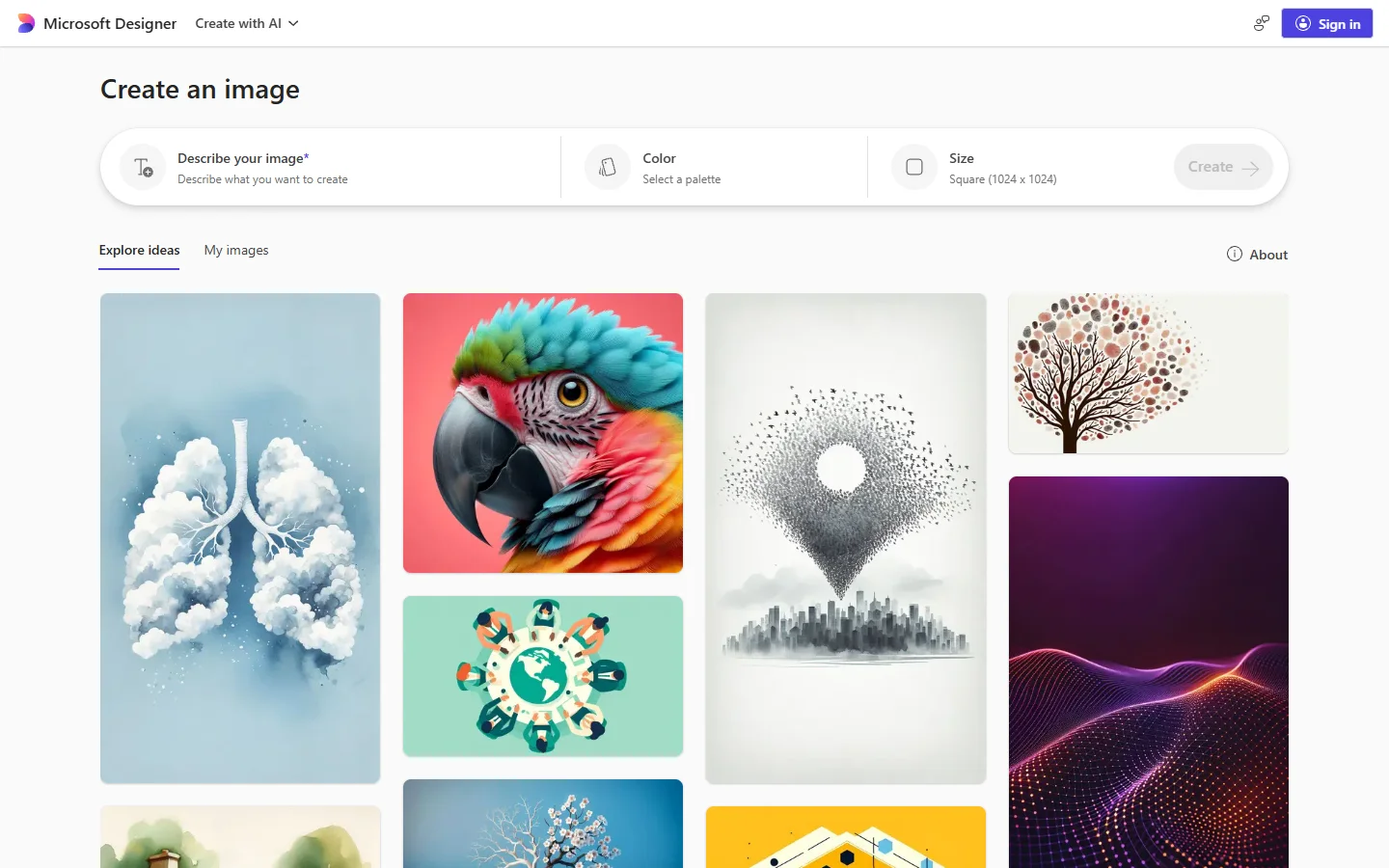
Microsoft Designer uses DALL-E 3 and requires nothing more than a Microsoft account. You get approximately 15 fast generations per day with an unlimited slower queue after that. Image quality is consistent for photorealistic scenes and product compositions. The limitation is creative control: you cannot select models, adjust parameters, or choose aspect ratios beyond the defaults. If DALL-E 3 is not the right fit for your project, our list of Midjourney alternatives for image generation covers other models worth testing.
Ideogram
Ideogram solves the problem most generators still struggle with: rendering readable text inside images. For posters, social graphics with headlines, or mockups with signage, Ideogram 3.0 produces noticeably cleaner typography than alternatives. The free plan gives 10 credits per week, which translates to roughly 40 images at four per prompt. A color palette tool and style references add useful creative control. For teams building multi-step creative pipelines, pairing Ideogram’s text rendering with Wireflow AI lets you automate the generation and compositing of text-heavy visuals in one workflow.
Leonardo AI
Leonardo AI provides 150 tokens per day and access to multiple models including Phoenix, Kino XL, and community fine-tunes. The built-in style presets make it a strong pick for gaming art, fantasy illustrations, and concept work. Token costs vary by resolution and inference steps, so complex generations eat through the daily budget faster. Writing more precise prompts helps stretch your allocation. The FLUX prompt generator is a useful tool for refining prompt structure before running generations in any platform.
Adobe Firefly
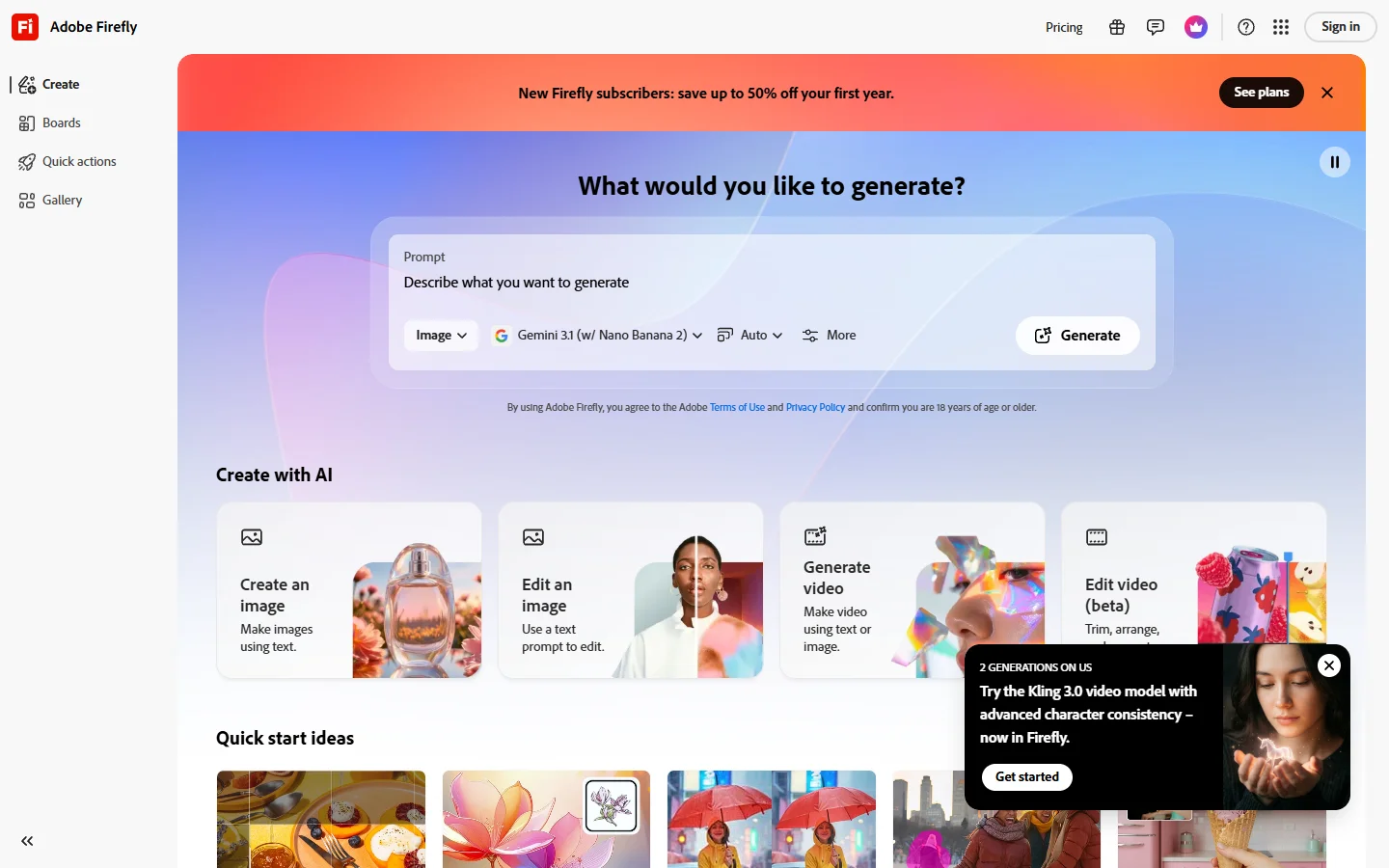
Adobe removed its free generative credits in early 2026, making Firefly the only entry on this list that now requires a paid plan (starting at $9.99/month). It earns its place because of commercial licensing clarity. Every Firefly generation is trained on licensed Adobe Stock content and public-domain works, which eliminates the IP ambiguity that comes with other tools. If your images will appear in client work, print, or advertising, that legal certainty matters. Artists exploring other options can compare approaches in our guide to creating digital art with AI generators.

Freepik AI
Freepik has become one of the more versatile free generators available. The platform integrates over 20 models and gives free users 20 daily generations. You can switch between photorealistic, illustrated, and abstract styles without leaving the interface. Quality varies by model, so expect some experimentation before finding consistent results for your use case. For a closer look at how Freepik compares on photorealism specifically, see our best AI photo generators breakdown.
Tips for Getting Better Results
The same prompt produces very different results across generators. For detailed prompt techniques, browse the FLUX prompt library for ready-to-use examples and templates.
Specificity matters most. “Portrait of a woman” is vague, while “portrait of a woman in soft window light, shallow depth of field, 85mm lens” gives the model concrete direction. Most generators also support negative prompts for excluding common artifacts like extra fingers, blurry backgrounds, or unwanted text. Use them.
Matching the tool to the task saves credits and time. Ideogram works best for text-heavy images, FLUX for maximum parameter control, and Designer for quick one-offs. Our Recraft v3 overview shows how model architecture affects output quality across different styles. Generating in batches of four variations per prompt and refining the best one consistently outperforms tweaking a single output.
Frequently Asked Questions
Is there a completely free AI image generator with no limits?
FLUX Dev is the closest option. Running it on your own GPU has no generation caps, no watermarks, and no queue times. You need at least 12GB VRAM and some comfort with Python-based tooling to set it up.
Which free AI image generator produces the best quality?
It depends on the use case. For photorealism, FLUX Dev and Microsoft Designer (DALL-E 3) consistently produce the highest-quality output. FLUX Realtime is also worth testing for fast iterative work where speed matters more than peak fidelity. For text rendering inside images, Ideogram leads by a clear margin.
Can I use free AI-generated images for commercial projects?
Licensing varies by tool. Adobe Firefly is the safest for commercial use because of its fully licensed training data. FLUX Dev’s open-source license permits commercial use. Other platforms generally allow it on free tiers but with conditions in their terms of service. Always read the specific license before publishing commercially.
What is the difference between FLUX Dev and FLUX Pro?
FLUX Dev is the open-source model you can download and run locally. FLUX Pro is the commercial API variant offering higher quality and faster inference. For a full breakdown of the model family and its capabilities, see What is FLUX 1?
How many free images can I generate per day?
Daily limits vary widely. Microsoft Designer gives approximately 15 fast generations plus unlimited slow ones. Leonardo AI offers 150 tokens. Freepik provides 20 generations. Ideogram offers 10 credits per week. FLUX Dev running locally has no daily cap at all.
Do free AI image generators add watermarks?
Most tools on this list do not watermark free-tier output. Leonardo AI applies a subtle watermark on free generations that requires a paid plan to remove. Open-source models like FLUX Dev and tools like FLUX Krea never add watermarks.
Wrapping Up
The strongest free AI image generator for you depends on the work. FLUX offers the most control for users willing to handle local setup. Microsoft Designer provides the smoothest experience for quick, reliable results. Ideogram handles text rendering better than any other free option. For teams that need to combine multiple generators, editors, and upscalers into automated creative workflows, Wireflow’s AI workflow platform connects those tools into repeatable pipelines that save significant production time. The tools keep improving, but choosing the right one for your specific use case still matters more than raw model quality.