AI avatars have moved from novelty to necessity. Whether you need a professional headshot for LinkedIn, a stylized character for social media, or a digital twin for video content, turning a regular photo into a polished AI avatar takes minutes with the right tools. In this guide, we walk through the full process of creating AI avatars from your own photos using FLUX-based models and popular avatar platforms.
What Are AI Avatars and Why Create Them from Photos
An AI avatar is a digitally generated representation of a person, created by feeding one or more reference photos into a generative model. Unlike generic stock avatars, photo-based avatars preserve your likeness while applying artistic styles, lighting corrections, or entirely new visual aesthetics.
Common use cases include professional headshots without a photographer, branded social media profiles, game and concept art characters, video presenters for training content, and digital identity for metaverse platforms. The technology works by extracting facial features, skin tone, and proportions from your source image, then re-rendering them within a new visual context.
How FLUX Models Handle Photo-to-Avatar Generation
FLUX models (including FLUX 1.1 Pro and FLUX Dev) excel at photorealistic face generation because of their training on high-resolution portrait datasets. When you provide a reference photo, the model uses it as a conditioning signal rather than directly copying pixels.
The process works in three stages: face detection and feature extraction, style transfer through the diffusion process, and final compositing with your chosen background or aesthetic. FLUX 1.1 Pro produces the highest fidelity results for realistic avatars, while FLUX Dev is better suited for stylized or artistic interpretations.
For the best results, your source photo should have even lighting, a neutral expression, and the face should fill at least 40% of the frame. Group photos or heavily filtered selfies produce inconsistent results because the model struggles to isolate features. You can test different source images using the FLUX AI image generator to see which compositions the model handles best.
Step-by-Step: Creating Your First AI Avatar
Here is the standard workflow for generating a high-quality avatar from a personal photo:
- Select your source image. Choose a well-lit, front-facing photo at minimum 512×512 pixels. Avoid sunglasses, heavy makeup, or extreme angles.
- Choose your output style. Decide between photorealistic (corporate headshot, dating profile), stylized (cartoon, anime, painterly), or fantastical (sci-fi, fantasy character). For realistic outputs, professional AI headshot techniques apply directly to avatar generation.
- Write your prompt. Combine your style choice with specific details. For example: “professional studio headshot, soft rim lighting, dark background, sharp focus, editorial quality.” A prompt builder tool can help structure these inputs.
- Set generation parameters. Use guidance scale 7-9 for realistic outputs or 4-6 for more creative interpretation. Higher step counts (30-50) produce finer detail. The FLUX Realtime model trades some detail for near-instant previews, which speeds up the iteration cycle.
- Generate and iterate. Run 3-4 generations, adjusting prompt wording and parameters until you get a result that maintains your likeness while hitting the desired style.
For workflows that require batch processing or integrating avatar generation into a larger creative pipeline, a visual AI workflow builder lets you chain face detection, style transfer, and upscaling nodes together without writing code.
Best Tools for Creating AI Avatars from Photos
Several platforms specialize in photo-to-avatar conversion, each with different strengths:
Fotor AI Avatar Generator
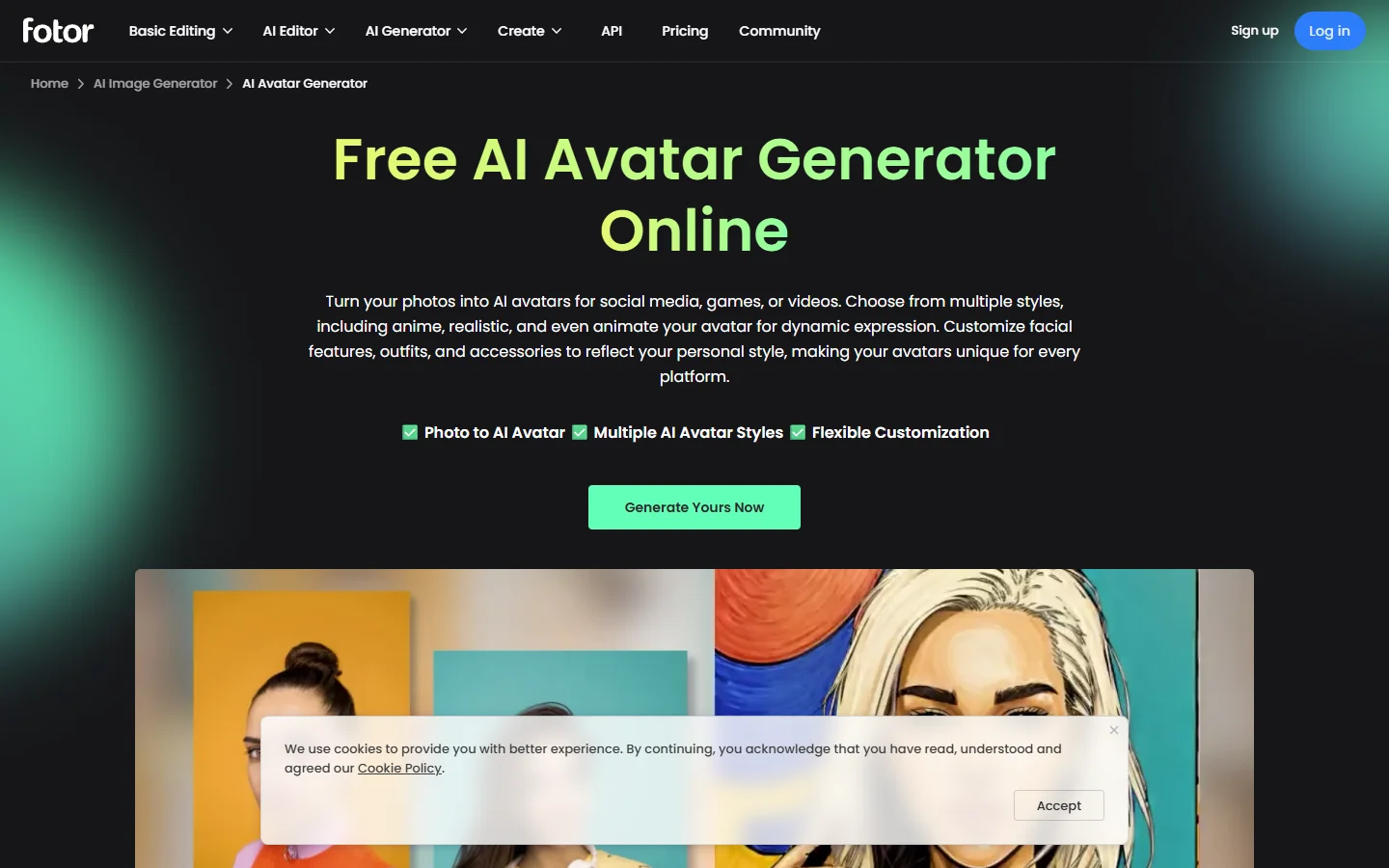
Fotor offers a straightforward browser-based avatar generator. Upload 5-10 selfies, select a style pack (professional, fantasy, anime), and receive 50-200 avatar variations within an hour. Best for quick social media avatars without technical knowledge. Pricing starts at $7.99 per style pack. If you want more control over the generation process, compare it against other AI image generators.
HeyGen
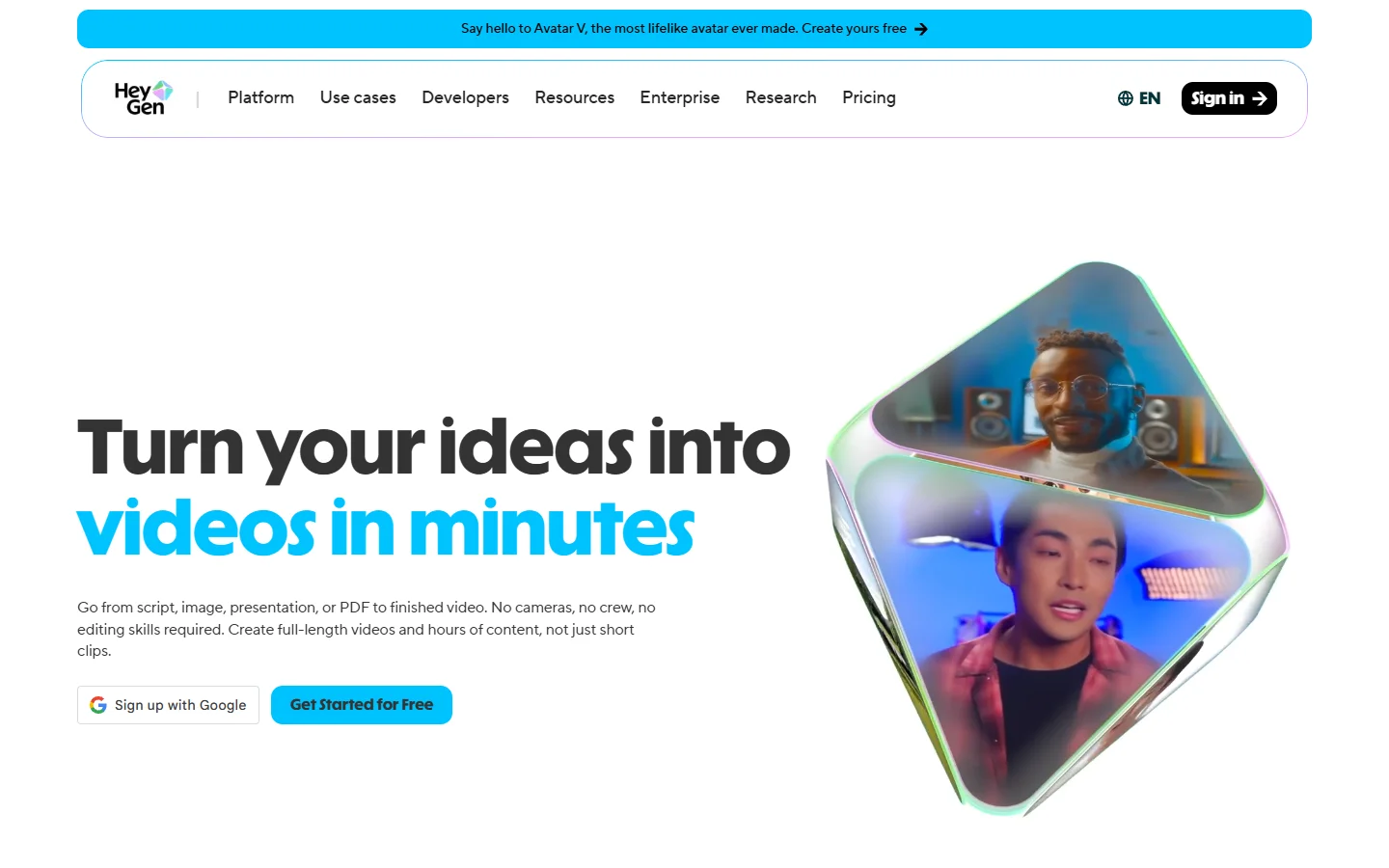
HeyGen focuses on animated talking avatars rather than static images. Upload a short video clip of yourself, and it creates a digital twin that can speak any script in multiple languages. Best for video content creators, course builders, and marketing video production. Pricing starts at $29/month.
Lensa AI
Lensa (by Prisma Labs) popularized AI avatars in 2022 and continues to refine its Magic Avatars feature. Upload 10-20 photos from different angles, and it produces artistic renditions across dozens of styles. Best for personal use, social sharing, and exploring AI art styles. Available as a mobile app with in-app purchases.
Synthesia
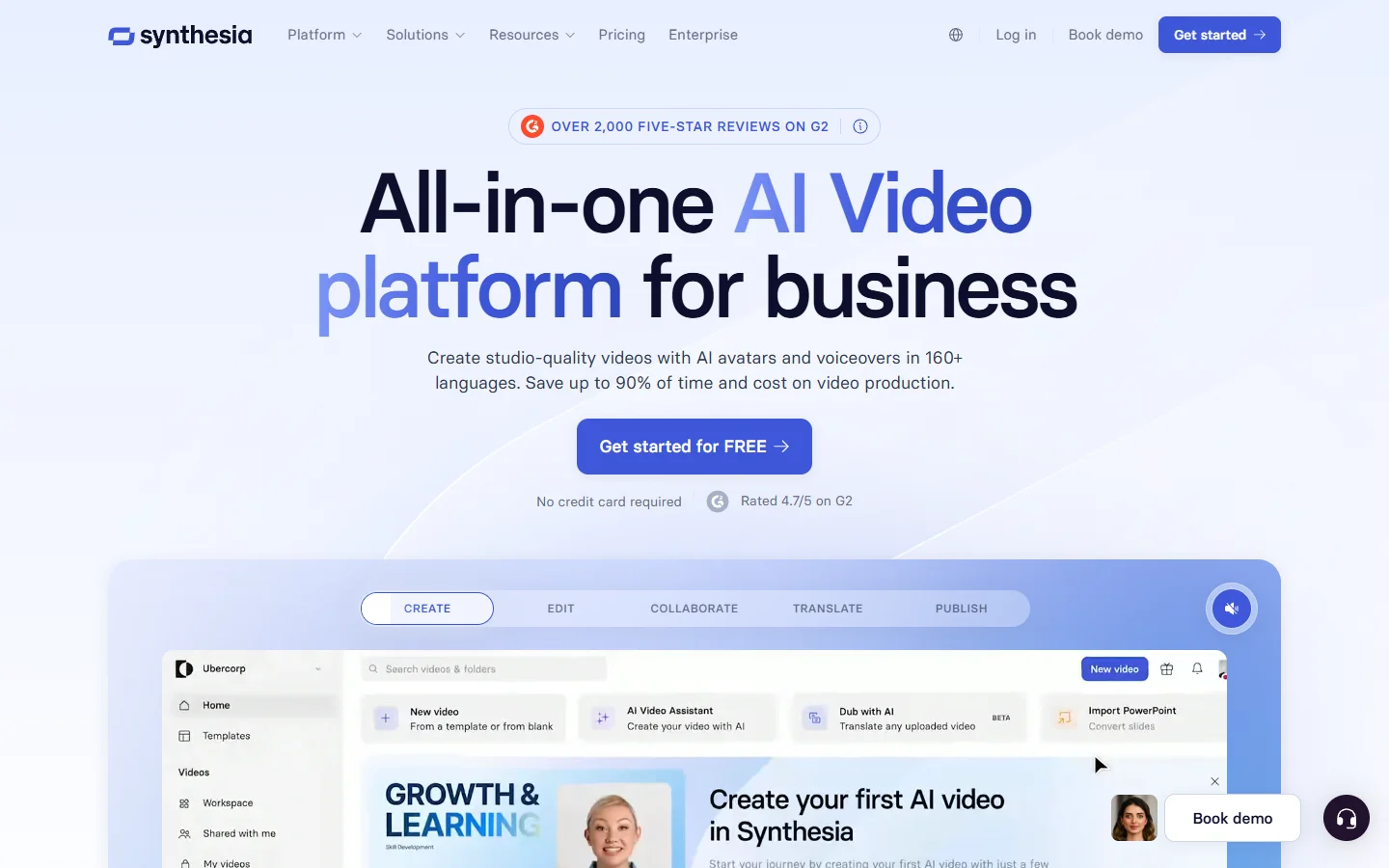
Synthesia creates full-body video avatars from a studio recording session. Once your avatar is created, you type a script and the AI generates a video of your digital twin delivering it. Enterprise-focused, with strong compliance and brand safety features. Pricing starts at $22/month for personal plans. For a comparison of realistic AI photo generators, including those with avatar capabilities, see our separate guide.
Prompting Techniques for Better Avatar Results
The quality of your AI avatar depends heavily on your prompt engineering. Here are techniques that produce consistently better results with FLUX models:
Lighting descriptors improve realism dramatically. Add “Rembrandt lighting,” “soft box studio light,” or “golden hour natural light” to control how the face is lit in the output. For background generation behind your avatar, the same lighting prompts keep the subject and environment visually coherent.
Style anchors prevent the model from drifting. If you want a corporate headshot, include “LinkedIn professional photo, neutral background, business attire” rather than just “portrait.” Compare output quality across top free AI image generators to see how different models interpret the same style anchors.
Negative prompts remove common artifacts. Exclude “distorted features, asymmetric eyes, blurry, low quality, watermark” to reduce the chance of uncanny-valley outputs.
For advanced prompt construction, consider using structured prompt builders that separate subject, style, lighting, and composition into discrete fields. This makes iteration faster because you can change one element without rewriting the entire prompt.
Quality Checklist Before Using Your Avatar
Before publishing or using your AI-generated avatar, run through this verification list:
- Likeness accuracy: Does the avatar clearly represent you? Check bone structure, eye color, and distinctive features.
- Symmetry: AI models occasionally produce subtle asymmetry in ears, eyes, or jaw. Compare against your reference.
- Background artifacts: Look for blended objects, floating elements, or color bleeding at edges.
- Resolution: Ensure the output is high enough for your intended use (512px minimum for social, 1024px+ for print).
- Style consistency: If generating a set, verify all outputs share the same lighting direction and color palette.
If you need to upscale a good generation that came out at lower resolution, run it through a dedicated AI image enhancement tool before using it.
Privacy and Ethical Considerations
Creating AI avatars from photos raises legitimate privacy questions. Here is what to keep in mind when removing or changing photo backgrounds and generating new likenesses:
- Only use photos you have rights to. Never generate avatars from someone else’s photos without explicit consent.
- Check each platform’s data policy. Some services retain your uploaded photos for model training; others delete them after generation.
- Be transparent about AI-generated content. Many platforms now require disclosure when AI-generated avatars are used in professional contexts.
- Consider bias in generation. Some models handle certain skin tones, hair textures, or facial features better than others. Test with your specific features before committing to a platform.
For teams creating avatars at scale for content marketing or brand campaigns, establish clear internal guidelines about consent, disclosure, and acceptable use before rolling out avatar-based content.
FAQ
What resolution photos work best for AI avatar generation?
Minimum 512×512 pixels with the face clearly visible. Ideal is 1024×1024 or higher with even, natural lighting and a neutral background. Higher resolution inputs give the model more detail to work with.
How many photos do I need to upload?
It depends on the platform. Tools like Lensa require 10-20 photos from different angles. Single-image generators like FLUX-based pipelines can work from just one clear photo, though results improve with multiple references. See our Midjourney alternatives guide for platforms that handle single-image input well.
Can I create avatars in specific art styles?
Yes. Most platforms offer style packs (anime, oil painting, 3D render, cyberpunk). With FLUX models, you control style entirely through your prompt, giving you unlimited creative freedom. Check the FLUX prompt library for style-specific examples.
Are AI avatars legal to use commercially?
Generally yes, if you created them from your own photos. However, review each platform’s terms of service regarding commercial licensing. Self-hosted models like FLUX Dev give you full ownership of outputs.
How do I maintain consistency across multiple avatar generations?
Use the same seed value, keep your prompt fixed, and only change one variable at a time. Some platforms offer “lock face” features that maintain consistency. For batch generation, workflow tools with deterministic seeding produce repeatable results.
Do AI avatars work for video content?
Static AI avatars are images only. For video, you need animated avatar platforms like HeyGen or Synthesia that create talking-head videos from your likeness. Some workflows combine a FLUX-generated avatar with lip-sync models for custom video output.
What is the difference between AI avatars and deepfakes?
AI avatars are stylized representations you create of yourself with your own consent. Deepfakes use someone else’s likeness without permission, typically to deceive. The technical process overlaps, but intent and consent separate the two. Understanding how image-to-video AI works helps clarify where the ethical line sits.
Conclusion
Creating AI avatars from photos is straightforward once you understand the workflow: select a quality source image, choose your style direction, craft a detailed prompt, and iterate on the results. FLUX models give you the most control over output quality when you combine them with proper prompting techniques.
For production workflows that need consistent, repeatable avatar generation, Wireflow’s creative tools offers a visual pipeline builder where you can connect face detection, style transfer, and post-processing into a single automated flow. Whether you are generating one avatar or a thousand, the key is starting with good reference material and clear style direction.