
Google’s Veo 3.1 is one of the most capable video generation APIs available in 2026, offering text-to-video and image-to-video with native synchronized audio. Whether you are building a content pipeline, prototyping a product demo tool, or adding video generation to an existing app, understanding the API tiers and real costs before you commit is essential.
What Veo 3.1 Offers
Veo 3.1 generates 1080p video from text prompts or image inputs. The standout feature is native audio synthesis: dialogue, ambient sound effects, and background music are generated in sync with the visual output. This means you do not need a separate audio pipeline for most use cases.
Key capabilities include scene extension (chain up to 20 clips for 140+ second narratives), frames-to-video transitions between two reference images, vertical video optimized for YouTube Shorts and TikTok formats, and 4K upscaling for high-resolution output.
If you have worked with other video generation APIs like Kling, Veo 3.1’s native audio is the main differentiator. Most competing APIs require you to generate video first and then layer audio separately.
API Pricing Breakdown
Veo 3.1 uses per-second billing across three quality tiers. The Lite tier costs $0.03-$0.05 per second for prototyping and previews. The Fast tier runs $0.10-$0.15 per second for production content. The Quality tier costs $0.20-$0.40 per second for high-end cinematic output. These rates are competitive with other AI content generation APIs when you factor in the included audio.
A typical 8-second clip costs $1.20 on the Fast tier ($0.15/sec x 8) or $3.20 on the Quality tier ($0.40/sec x 8). For comparison, generating a batch of 10 short clips at Fast quality runs around $12, which lines up well against Flux Pro API pricing for image generation at similar quality levels.
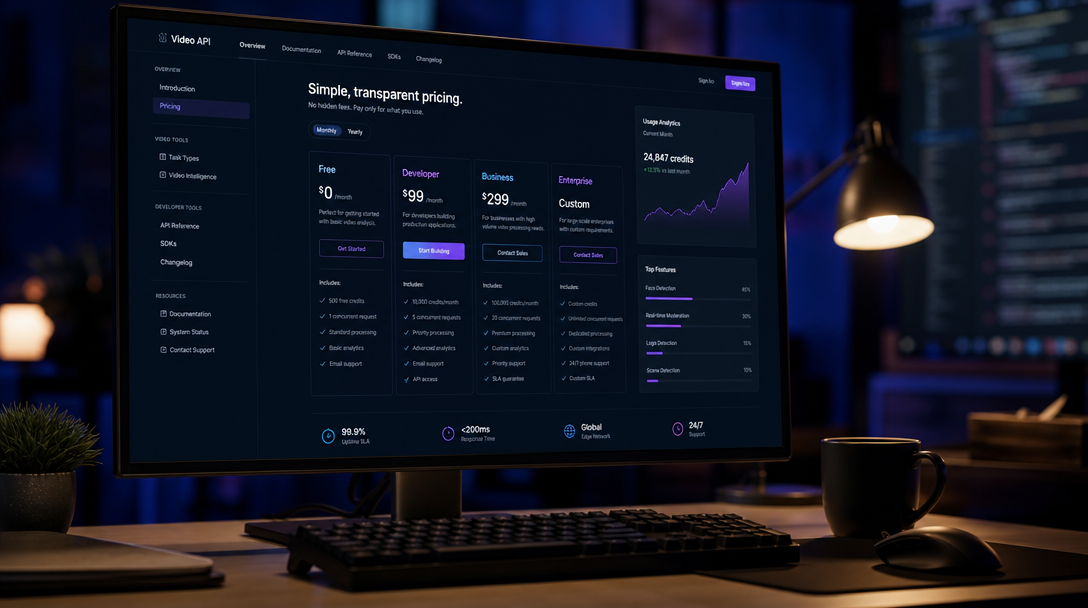
Google also offers subscription plans that bundle API credits. AI Plus starts at $7.99/month with limited Veo 3.1 access, AI Pro at $49.99/month provides higher generation limits, and AI Ultra at $249.99/month includes priority processing. For developers building production applications, the pay-per-second Vertex AI pricing is usually more predictable than subscription-based API access.
Code Examples
Here is a minimal Python example using Google’s GenAI SDK to generate a video with Veo 3.1 Fast. The pattern is similar to how you would call any AI generation API from code:
import google.generativeai as genai

genai.configure(api_key="YOUR_API_KEY")

model = genai.GenerativeModel("veo-3.1-fast-generate-preview")

response = model.generate_content(
    contents="A golden retriever running through autumn leaves in a park, cinematic slow motion",
    generation_config={
        "response_modalities": ["video"],
        "video_config": {
            "duration_seconds": 8,
            "resolution": "1080p",
            "aspect_ratio": "16:9"
        }
    }
)

with open("output.mp4", "wb") as f:
    f.write(response.candidates[0].content.parts[0].inline_data.data)
For image-to-video (animating a still frame), you pass the source image as an additional input. This is useful when you already have a high-quality AI-generated image and want to bring it to life:
import PIL.Image

source_image = PIL.Image.open("reference.png")

response = model.generate_content(
    contents=[source_image, "Animate this scene with gentle camera movement and ambient wind sounds"],
    generation_config={
        "response_modalities": ["video"],
        "video_config": {"duration_seconds": 6, "resolution": "1080p"}
    }
)
Both examples include audio by default. If you want to try it free in a visual pipeline with connected nodes for prompt, generation, and post-processing, that approach can simplify chaining multiple API calls together.
How Veo 3.1 Compares to Other Video APIs
When evaluating video generation APIs, cost per second is only part of the picture. Kling 3.0 is cheaper for pure video output ($0.80-$2.40 for an 8-second clip) but requires a separate TTS or sound design step. Runway Gen-4 produces excellent visual quality at a higher price point ($2.00-$4.00). Sora 2 includes native audio like Veo 3.1 but costs slightly more ($1.50-$3.00). For a broader comparison, check the full video generator roundup.
| Feature | Veo 3.1 | Kling 3.0 | Runway Gen-4 | Sora 2 |
|---|---|---|---|---|
| Native audio | Yes | No | No | Yes |
| Max resolution | 4K (upscaled) | 1080p | 4K | 1080p |
| Scene chaining | Up to 20 clips | Limited | Yes | Yes |
| Cost (8s clip) | $1.20 – $3.20 | $0.80 – $2.40 | $2.00 – $4.00 | $1.50 – $3.00 |
| Image-to-video | Yes | Yes | Yes | Yes |
For developers who need end-to-end video with audio from a single API call, Veo 3.1 reduces integration complexity significantly. You can also explore batch processing approaches to scale up generation across multiple clips in parallel.

Practical Tips for Production Use
If you are integrating Veo 3.1 into a production workflow, start with Lite for prototyping. The visual quality is lower, but it lets you iterate on prompts at one-third the cost of Fast. This mirrors the approach many teams use when testing image generation prompts before committing to full-quality runs.
Use scene chaining for longer content instead of generating one long clip. Break narratives into 6-8 second segments and chain them for more control over pacing. Cache reference images in a CDN for image-to-video workflows so repeated generation requests do not re-upload them. Set budget limits through Vertex AI spend alerts, and platforms like a visual AI workflow builder can enforce per-run cost caps when orchestrating multiple generation steps.

Common Pitfalls
Clips over 12 seconds occasionally show audio sync drift. Chaining shorter segments avoids this. Google enforces per-minute rate limits on the Fast tier that vary by account tier, so implement exponential backoff if you hit 429 errors. Prompt sensitivity matters too: Veo 3.1 responds well to cinematic language (“slow dolly shot”, “rack focus”, “golden hour lighting”) but struggles with abstract or contradictory instructions, much like image model prompting. Finally, Veo 3.1 processes asynchronously with 30-90 second generation times, so plan your pipeline accordingly.
FAQ
How much does an 8-second Veo 3.1 video cost? On the Fast tier, an 8-second clip costs approximately $1.20 ($0.15/second). The Quality tier runs about $3.20 for the same duration. Check the latest API pricing comparisons to see how this stacks up.
Does Veo 3.1 generate audio automatically? Yes. Native synchronized audio, including dialogue, sound effects, and ambient noise, is generated with every video by default. This sets it apart from most video generation alternatives that require separate audio processing.
Can I use Veo 3.1 for commercial projects? Yes, videos generated through the API are available for commercial use under Google’s current terms of service. Check the latest ToS for any restrictions on specific use cases.
What programming languages are supported? Google provides official SDKs for Python and Node.js. You can also call the REST API directly with cURL or any HTTP client, similar to how you would build AI pipelines with REST APIs.
How does Veo 3.1 compare to Sora 2 on pricing? Veo 3.1 is slightly cheaper at the Fast tier ($0.10-$0.15/sec vs Sora 2’s $0.15-$0.20/sec). Both include native audio, but Veo 3.1 supports longer scene chaining. See the full video generator comparison for more detail.
Is there a free trial for the Veo 3.1 API? Google AI Plus ($7.99/month) includes limited Veo 3.1 access. The Vertex AI platform sometimes offers free credits for new accounts, but availability varies.
What is the maximum video length? A single generation produces up to 8 seconds. Using scene chaining, you can produce 140+ seconds by linking up to 20 sequential clips. This makes it viable for creating marketing videos with AI beyond short social clips.
Conclusion
Veo 3.1 sits at a strong price-to-quality point for developers who need video with integrated audio from a single API. The per-second pricing is transparent, the SDK is straightforward, and the native audio removes an entire layer of post-production complexity. For teams building automated content pipelines or video-first products, it is one of the most practical options available right now.